Keyline

Less routine. More possibilities. With AI in Keyline.

Keyline combines artificial intelligence with powerful automation. Move from a product description to an estimate faster, reuse information and spend more time with your customers.

What Keyline supports today

Complex print products. Simpler everyday work.

AI helps process information. The estimating engine calculates production paths, costs and impositions using your machines and production capabilities. The two work together.

AI-assisted estimating

From product description to estimate: AI helps process the supplied information, while the estimating engine handles the calculations. You do not have to assemble every step of a complex print product from scratch.

Less manual input. Faster quotes.
Automatic production paths

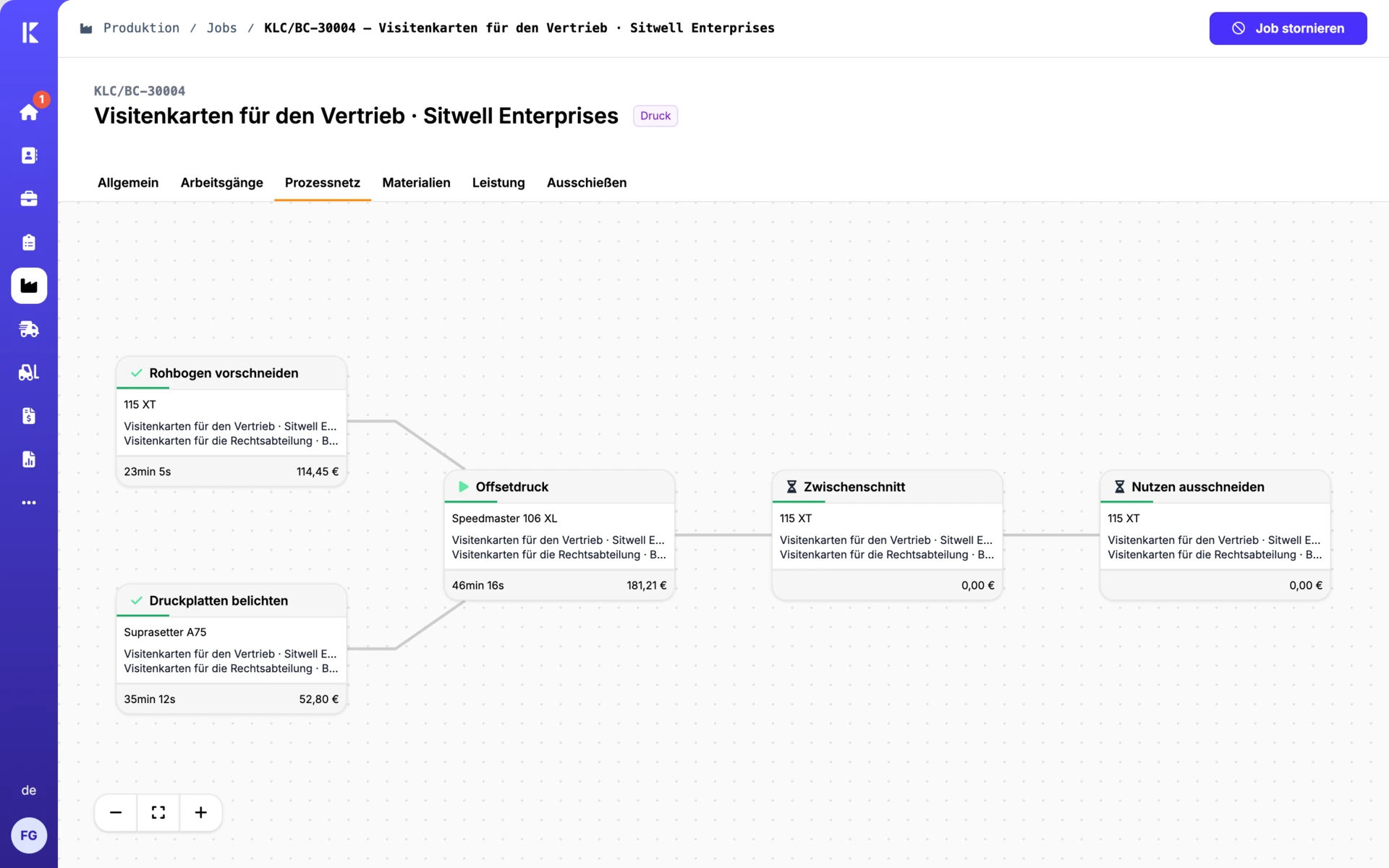
Keyline identifies suitable machines and worksteps from product specifications and your production capabilities. It calculates and compares production paths and costs, including the cheapest and fastest options.

Less planning work. Results you can follow.

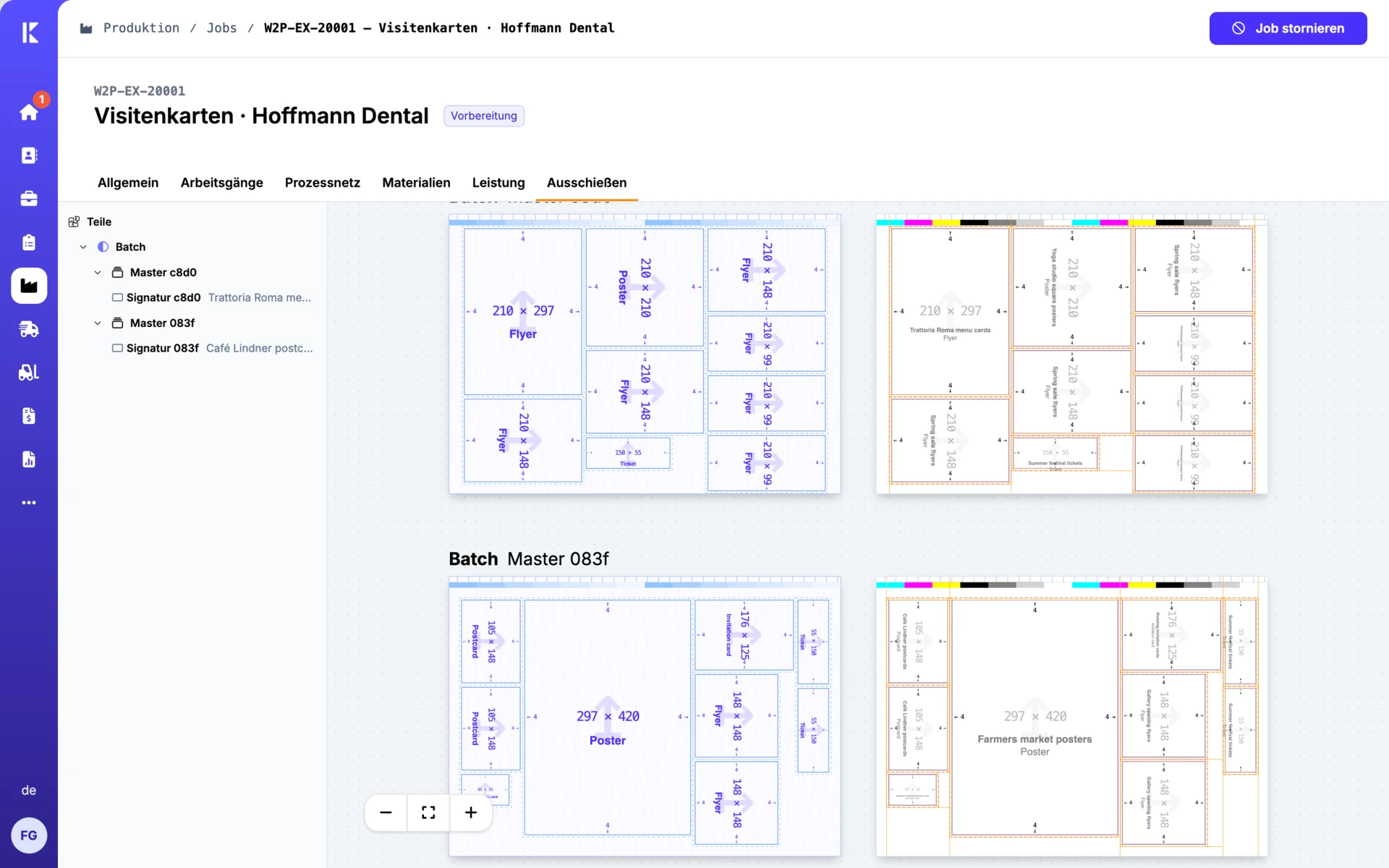
Imposition in seconds

The integrated imposition engine calculates suitable layouts and takes the production path into account. Multiple products can share gang forms. The sheet layout feeds directly into the estimate.

Less preparation. Make good use of materials.

AI Data Orchestration

Information comes from different sources and systems. With AI Data Orchestration, Keyline aims to bring it together intelligently and make it useful for subsequent worksteps.

The direction: reuse information instead of entering it again.

Support beyond estimating.

AI assistants in Keyline extract incoming invoice data and recognize photo records. Connected workflows help too: estimating data is available for planning and production, while materials, stock and reservations stay linked to the job.

Not every automatic function needs AI. What matters is how they work together: understand information, calculate reliably and reuse the results in the next step.

A print job process net showing machines, worksteps and production paths.

Estimating and process nets

Your AI assistant. Connected to Keyline.

The Keyline MCP server connects your AI assistant directly to Keyline using the Model Context Protocol.

Look up projects and print files, create jobs and manage settings. Access permissions determine which actions are available.

Ask us about the MCP server

You describe what you need.

In a conversation with an AI assistant.

The MCP server connects.

It makes Keyline accessible to the assistant.

Keyline provides the business context.

Projects, jobs, print files and settings.

How your assistant works with Keyline.

A few examples of tasks supported by the MCP server.

Example request

“What is the status of the brochure project?”

The assistant finds the project and shows its status, customer and due date.

Example request

“Which print files are missing for this project?”

The assistant checks which print files are present for each part and variant.

Example request

“Create a job in this project from this request.”

With write access, the assistant creates jobs with products, quantities and options directly in the project.

The system suggests. You decide.

AI should support your team and make specialist knowledge accessible. You review the prepared information and estimates and decide on the next steps.

The open API also connects other systems and automation tools, making AI part of your workflows rather than another isolated application.

Explore integrations

Frequently asked questions

Is every automated function in Keyline AI?

No. Production path finding, estimating and imposition use Keyline’s calculation and automation engines. AI helps particularly with processing information. Together, they reduce manual work.

What does AI Data Orchestration mean?

Keyline uses the term to describe its goal of intelligently combining information from different sources for subsequent processes. We can discuss which data and workflows suit your business based on your requirements.

What data and functions can my AI assistant access?

Access depends on the permissions granted through OAuth or an access token. Write actions require the corresponding permission, and settings are restricted to administrators.

Let’s talk.

Have a question about Keyline or want to talk about your print shop? Send us a message. Georg Schott will get back to you personally. If you would like to see Keyline in action, simply select your interest in a demo.

Georg Schott

Georg Schott

Your personal contact

We get back to you within one working day.

We only use your details to contact you about your request.